Downloads
 Downloading the Games
I need to direct you to other websites to download Final Fantasy Tactics. There are many options in my links. You could also try these helpful Google searches:
- “archive.org playstation 1 chd” - to find the PlayStation 1 version
- “archive.org psp collection” - to find the PSP version, “Final Fantasy Tactics: The War of the Lions”
- “archive.org psp chd” - another good query for the PSP version
 ROM Hacks
Here are a variety of hacks that make Final Fantasy Tactics harder or give you a better experience. ROM hackers release their works as patches. To experience their hacks, you must apply their patch to the original game. If you need help with patching, I have instructions in my patching guide.
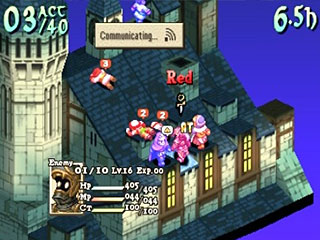
 War of the Lions Slowdown Fix
Everyone's complaint with Final Fantasy Tactics: War of the Lions are the slowdowns that happen during battle. Fortunately, talented hackers have fixed this annoying problem for us!
 US Gameplay Removed + Less Grinding
The North American release of Final Fantasy Tactics received significant changes from the Japanese version. This hack aimed to return it back to its original glory. The following changes have been made:
- JP costs of all abilities have been halved based off of the jp version amounts, a few overly expensive ones like Fly were reduced further. This lets you obtain abilities twice as fast, but it also lets enemies obtain twice as many abilities as well, making the game a little more challenging/interesting if not abused.
- Some ally special characters and Ramza's Squire class have slightly weaker stats, matching the jp version and adding a small amount of challenge.
- Summon Magic/Meteor and a few other spells are weakened and/or more expensive to cast to match the jp version. A lot of these end up being better balanced.
- Some enemy special characters and Zodiac bosses have slightly stronger stats.
- Cloud joins with his level near the party’s average level, instead of level 1.
- When using the “Move-Find Item” ability you will always find the rare item (usually equipment), and never the common one.
- Later job level JP requirements were altered slightly to correspond with the original version’s amounts.
- And more!
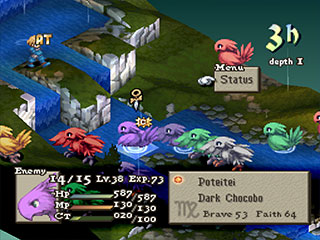
Final Fantasy Tactics: Insane Difficulty
Are you a seasoned player who finds Final Fantasy Tactics too easy these days? This hack greatly increases the game's difficulty by re-balancing the game. It alters enemies, items, jobs, skills, and fixes many gameplay mechanic exploits present in the original.